The Keychron K2 and K8 are the two best-selling keyboards in stock at Keychron. Both connect over Bluetooth to three devices or by USB-C, have a 4000 mAh battery, RGB backlight and Mac and Windows keycaps. The K2 is a compact 75% board with 84 keys; the K8 is tenkeyless (80%) with a separate navigation cluster. Details are from Keychron's product pages as of November 2026; we haven't tested either.
Comparison table
| Product | Best for | Buy |
|---|---|---|
1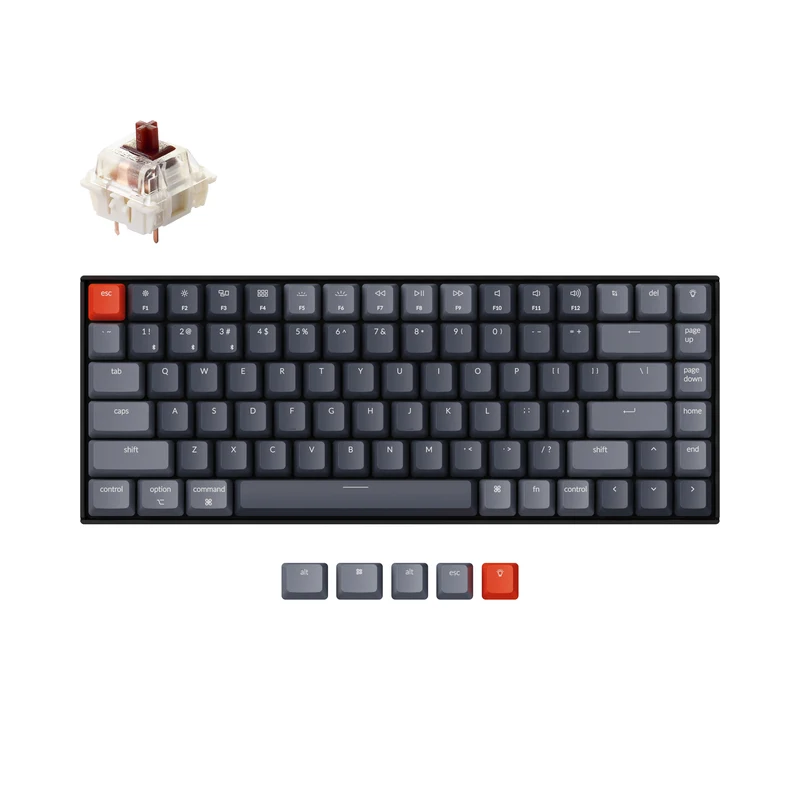 Keychron K2 Wireless Mechanical Keyboard (Version 2)Most Compact |
Smaller desks and bags | $69.99 |
2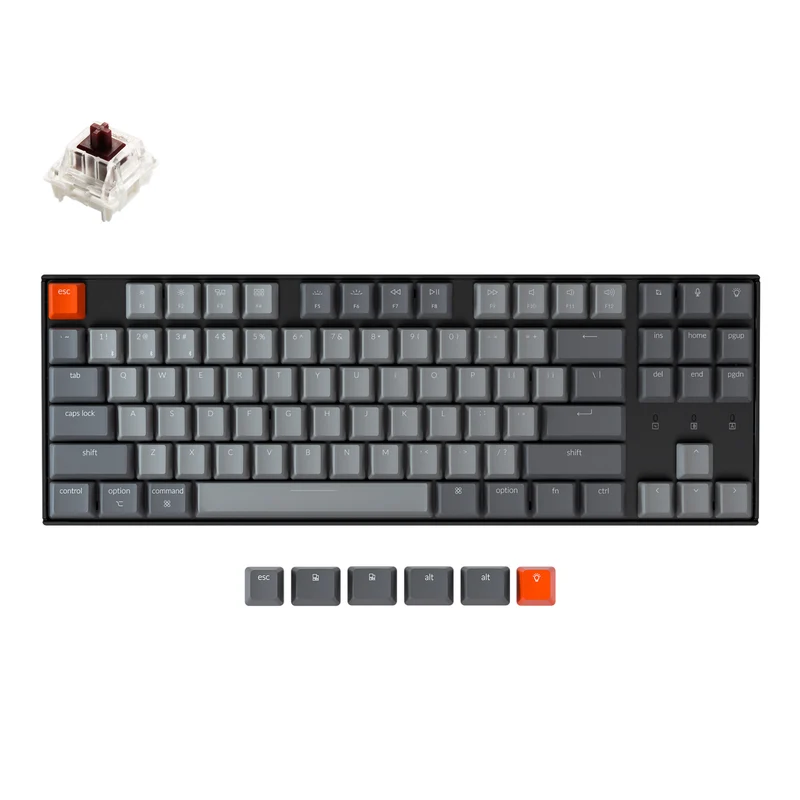 Keychron K8 Wireless Mechanical KeyboardMore Choice |
A standard layout with a full Ins/Del/Home/End block | $59.99–$79.99 |
Most Compact
#1 · Most Compact
Keychron K2 Wireless Mechanical Keyboard (Version 2)
75%, 84 keys, 313–317 mm wide, 663–794 g. Hot-swappable Keychron Super switches, ABS keycaps, up to 240 hours with backlight off. Only the RGB aluminum-frame Super Red version was in stock. Rated 4.87/5 from 950 reviews.
Best for: Smaller desks and bags
Pros
- About 40 mm narrower
- Higher rating, more reviews
- Hot-swappable
Cons
- One version in stock
- Cramped arrow and nav keys
- Layout
- 75%
- Width
- 313–317 mm
- Store rating
- 4.87/5 (950)
More Choice
#2 · More Choice
Keychron K8 Wireless Mechanical Keyboard
Tenkeyless (80%), 355–359 mm wide, 740–887 g. Double-shot ABS keycaps, battery listed at up to 68 hours. In stock with white or RGB backlight and Gateron G Pro or hot-swappable Keychron Super switches in red, blue or brown. Rated 4.78/5 from 457 reviews.
Best for: A standard layout with a full Ins/Del/Home/End block
Pros
- 10 versions in stock
- From $59.99
- Standard navigation cluster
Cons
- Wider and heavier
- Lower listed battery life
- Layout
- 80% TKL
- Width
- 355–359 mm
- Store rating
- 4.78/5 (457)
From$59.99–$79.99
Check Price on KeychronQuick verdict
- Want the smallest board that still has arrows and a function row, and like linear red switches? Get the K2 ($69.99).
- Want a standard navigation cluster, or blue or brown switches? Get the K8 (from $59.99).
Side by side
| K2 (Version 2) | K8 | |
|---|---|---|
| Price | $69.99 (was $94.99) | $59.99–$79.99 (was $79.99–$99.99) |
| Layout | 75%, 84 keys | 80% tenkeyless |
| Connectivity | Bluetooth (3 devices), USB-C | Bluetooth (3 devices), USB-C |
| Battery | 4000 mAh, up to 240 h (backlight off) | 4000 mAh, up to 68 h (listed) |
| Switches in stock | Keychron Super Red only | Gateron G Pro or Keychron Super; red, blue, brown |
| Hot-swappable | Yes | Keychron Super versions |
| Keycaps | ABS | Double-shot ABS |
| Size | 313–317 × 123–129 mm | 355–359 × 123–127 mm |
| Weight | 663 g / 794 g (aluminum) | 740 g / 887 g (aluminum) |
| Store rating | 4.87/5 (950) | 4.78/5 (457) |
Layout and size
The difference you'll feel every day is the layout. The K2 squeezes the navigation keys into a single column on the right, so Home, End and Page Up/Down sit next to Enter. The K8 keeps the standard tenkeyless block with Insert, Delete, Home and End above normally spaced arrows. It's about 40 mm wider and roughly 80–90 g heavier depending on the frame.
Switches and stock
This may decide it for you. The K2 was in stock in one configuration only: RGB backlight, aluminum frame, Keychron Super Red (linear). The K8 had ten versions in stock, including white or RGB backlight and red, blue or brown switches, with the hot-swappable Keychron Super versions costing $10 more than Gateron G Pro.
Battery and connectivity
Both pair with three devices over Bluetooth and work wired over USB-C with a 1000 Hz polling rate. Both have a 4000 mAh battery. Keychron lists the K2 at 240 hours with the backlight off and the K8 at 68 hours; the K8 page doesn't say whether its figure is with backlight on.
Ratings and warranty
The K2 is rated 4.87 from 950 reviews, the K8 4.78 from 457. Both are classic K-series boards with a 12-month warranty under which Keychron may replace the keyboard or its parts. Change-of-mind returns must be requested within 7 days at your cost. See our Keychron review.
The bottom line
If the single in-stock K2 suits you, it's the more compact, better-reviewed choice. If you want a standard layout or a different switch feel, the K8 gives you more options and starts $10 cheaper. Also read the K2 review and the best Keychron keyboards.